
2 minutes readblog
How to Install FFmpeg on Windows?
Step 1: Click here (or below link) to download the zip file of the latest version.
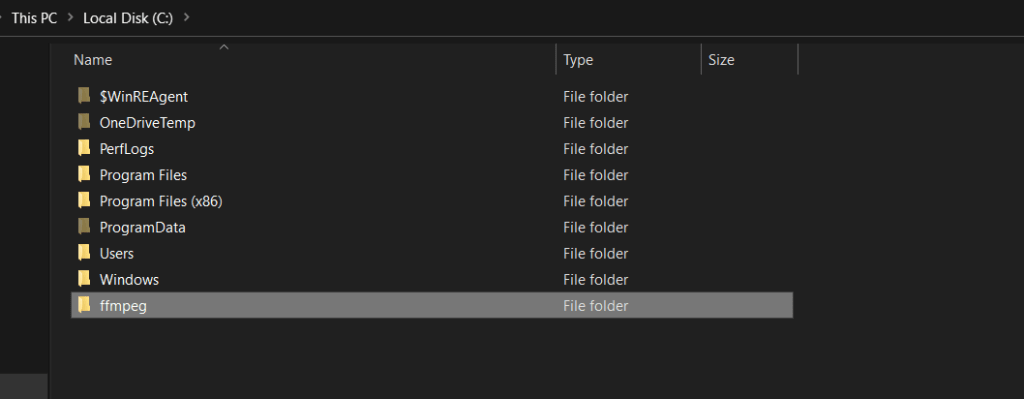
Step 2: Unzip this file and copy folder after renaming to ffmpeg to C: drive, as shown below.
Step 3: Now, run cmd as an administrator and set the environment path variable for ffmpeg by running the following command:
cmdBash
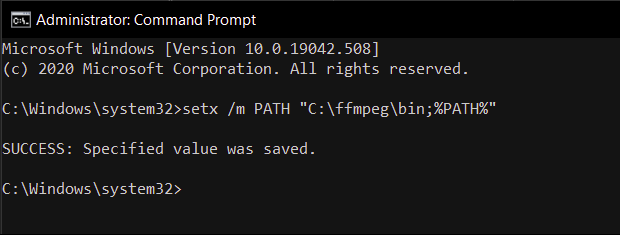
setx /m PATH "C:\ffmpeg\bin;%PATH%"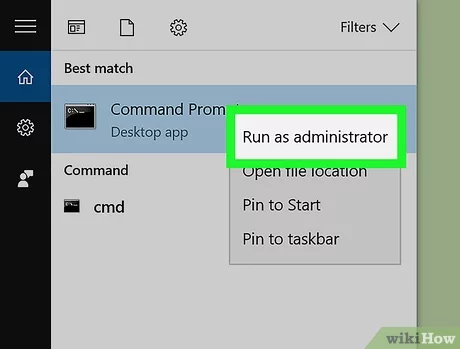
Step 4: Restart your computer and verify the installation by running:
cmdBash
ffmpeg -version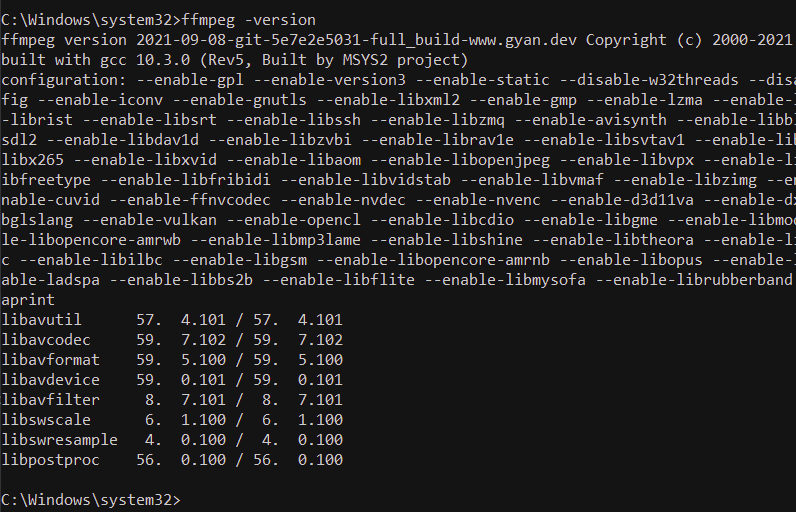
Step 5: Open Soundbound app and enjoy your music!